

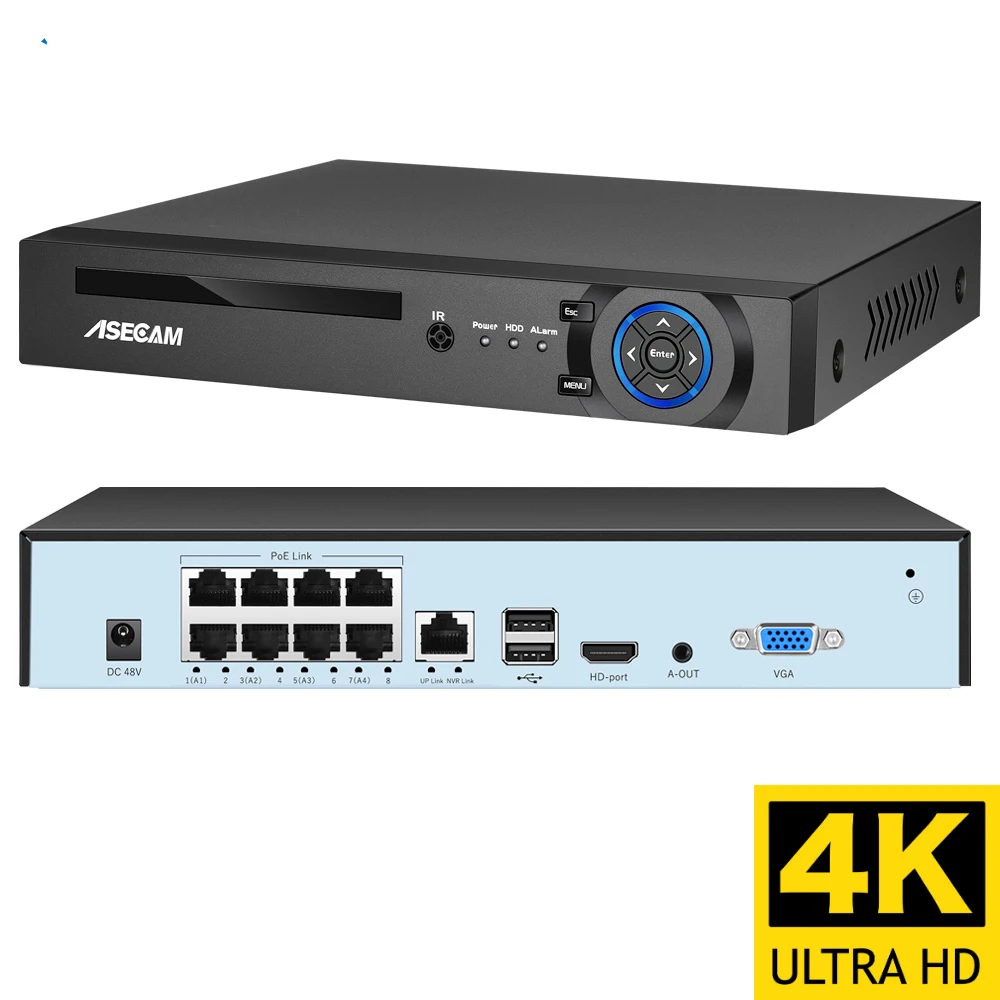

4K Ultra HD POE NVR Video Recorder
10 in stock
Price range: $130.98 through $136.61
16-Channel | Onvif H.265 | 48V Face Detection | IP Camera CCTV System | P2P Network Security Surveillance
The Brain of Your Security System.
You’ve bought security cameras. Maybe four of them. Maybe eight. Maybe sixteen.
But without a central recorder, they’re just eyes with nowhere to store what they see. Footage is scattered across SD cards. Alerts come from separate apps. Reviewing incidents means checking each camera individually.
That’s not a security system. That’s chaos.
Meet the 4K Ultra HD POE NVR Video Recorder from ChetaXpress. This is the brain of your CCTV system. Connect up to 16 IP cameras via a single Ethernet cable (PoE — Power over Ethernet). Record everything in 4K Ultra HD. Access footage remotely via P2P. Detect faces. Receive alerts.
One device. Complete control.
What Makes This NVR Different?
| Feature | What It Does For You |
|---|---|
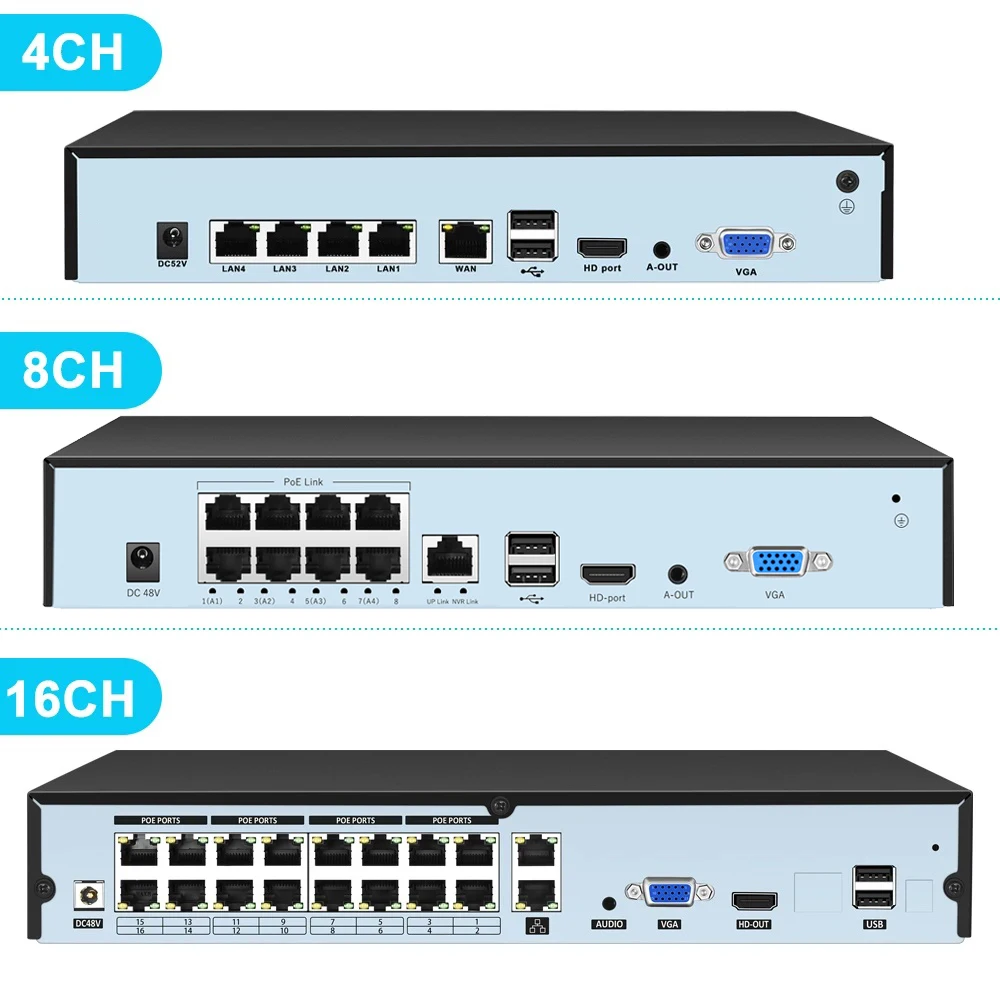
| 16-Channel POE | Connect up to 16 IP cameras using a single network cable per camera. Power and data over one wire. No separate power adapters. |
| 4K Ultra HD Recording | Record in 3840×2160 resolution. Crystal clear footage. Zoom in on details. Capture faces and license plates. |
| Face Detection | Advanced AI detects faces in real time. Get alerts when unknown faces appear. Search footage by face. |
| H.265 Compression | Next-generation video compression. Uses half the storage of H.264. Record longer. Keep more footage. |
| Onvif Compatible | Works with most IP cameras (Onvif standard). Mix and match brands. No vendor lock-in. |
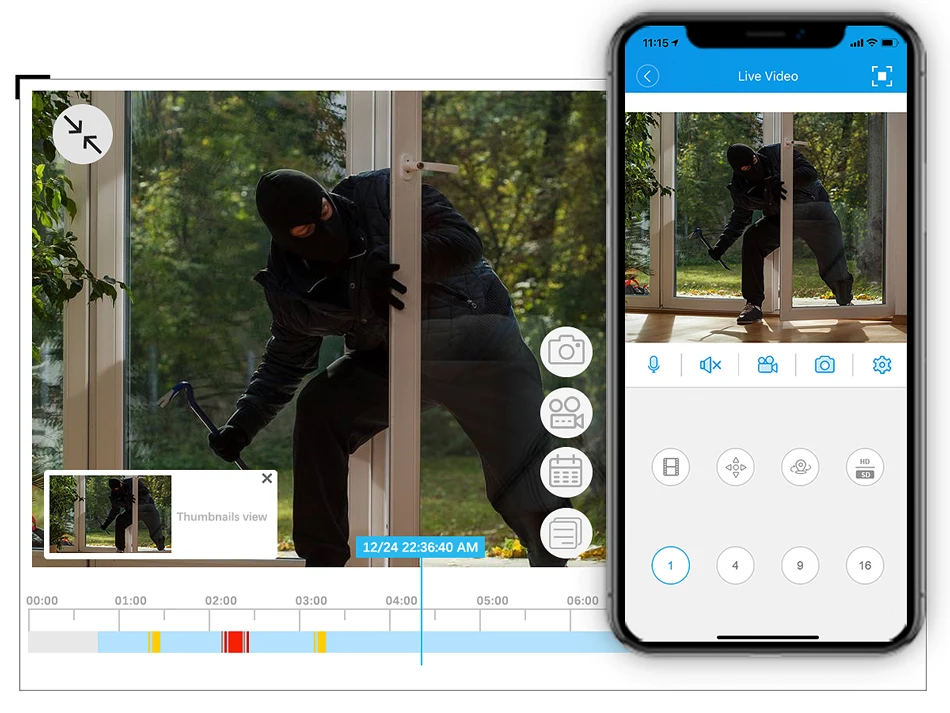
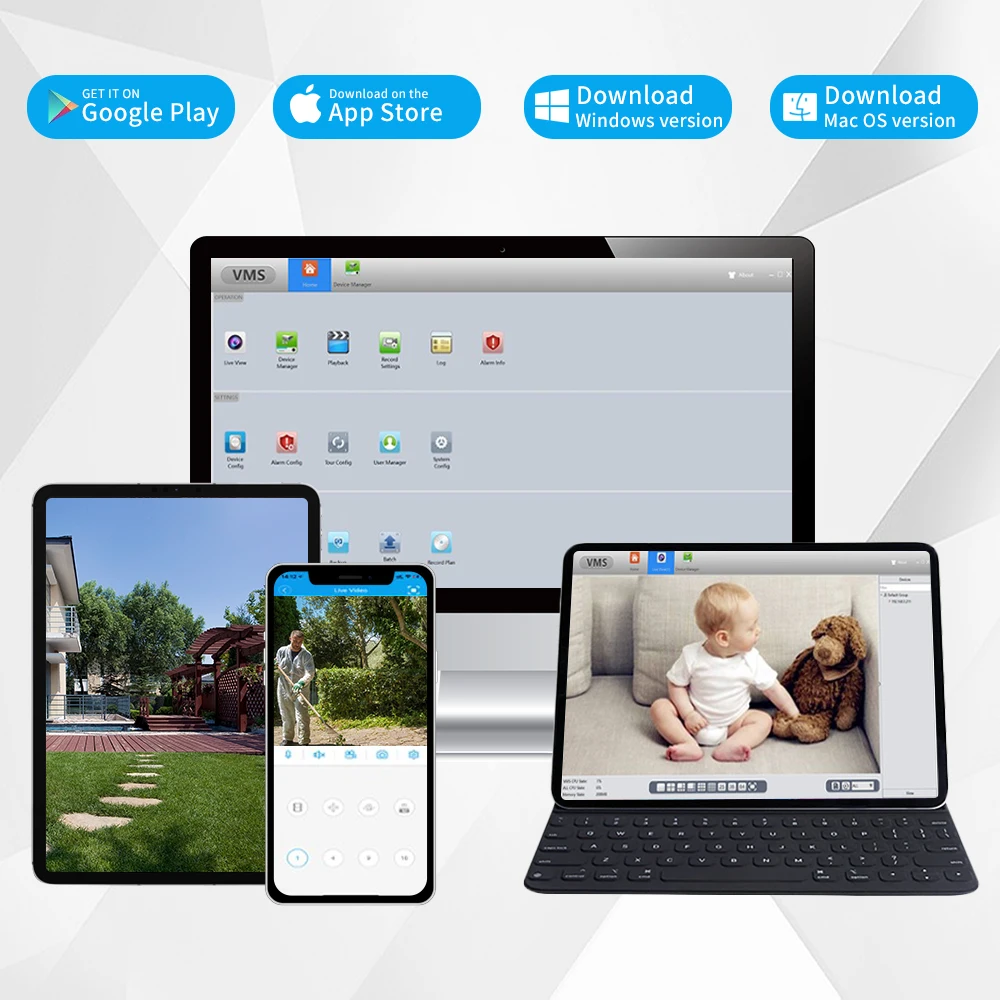
| P2P Remote Access | Access your NVR from anywhere using your phone or computer. No static IP required. Simple QR code setup. |
| 4K HDMI Output | Connect directly to your TV or monitor. View all 16 cameras on one screen. 4K resolution output. |
| Multiple Backup Options | Save footage to internal SATA hard drive (3.5″ — not included), USB flash drives, or network storage. |
| Dual Audio | 1-channel audio input + 1-channel audio output. Record audio from compatible cameras. Communicate through the system. |
| Email & FTP Alerts | Receive email notifications with photos when motion or faces are detected. Upload footage to FTP server automatically. |
| Local Alarm Output | Connect external sirens or strobe lights. Trigger audible/visual alerts when motion is detected. |
Why POE? (Power Over Ethernet)
| Traditional CCTV | POE CCTV |
|---|---|
| Separate power cable for each camera | One Ethernet cable for power + data |
| Requires electrical outlets near each camera | No outlets needed near cameras |
| Messy cable management | Clean, single-cable installation |
| Professional electrician often required | DIY-friendly |
| Cameras stop working if power is cut | NVR provides backup power (with UPS) |
With POE, you run one cable from the NVR to each camera. The NVR sends power down the same cable. Cleaner installation. Lower cost. Better reliability.
Technical Specifications
| Specification | Detail |
|---|---|
| Product Type | Network Video Recorder (NVR) |
| Model Number | AS8814K NVR |
| Brand | ASECAM |
| Video Channels | 16 Channels (POE) |
| POE Ports | 16 Ports (48V) |
| Max Resolution | 4K Ultra HD (3840×2160) |
| Supported Resolutions | 5MP, 6MP, 4MP, 1080p, 720p, 3MP |
| Video Compression | H.265, H.264 |
| Audio Compression | OggVorbis, G711A, Gips, Apt-X, AAC |
| Audio Input | 1 Channel RCA |
| Audio Output | 1 Channel RCA |
| Two-Way Audio | Yes |
| Video Output | 1x 4K HDMI (3840×2160), 1x HDMI (1920×1080 60Hz), 1x VGA |
| Network Interface | RJ45 10/100M Ethernet |
| Network Protocol | TCP/IP, DHCP, SMTP, HTTP, DDNS, UPNP, PPPoE, FTP, DNS |
| IP Mode | Dynamic IP, Static IP |
| Wireless Security | WPA |
| Hard Drive Interface | SATA (supports 3.5″ HDD — not included) |
| Backup Options | Hard Drive, Recorder, USB Flash Drive |
| Supported Mobile Systems | Android, iOS |
| Supported PC Systems | Microsoft Windows Vista, Windows 7 |
| P2P Remote Access | Yes (e-Cloud) |
| Face Detection | Yes |
| Alarm Types | FTP Photo, Email Photo, Local Alarm |
| Certifications | CE, FCC, RoHS, UL |
| Origin | Mainland China |
| Smart Home Platform | None (standalone security system) |
Package Contents
| Item | Quantity |
|---|---|
| 4K POE NVR Recorder (AS8814K) | 1 |
| Power Adapter (48V) | 1 |
| USB Mouse | 1 |
| Ethernet Cable (short, for router connection) | 1 |
| Hard Drive Screws | 4+ |
| Quick Start Guide | 1 |
| User Manual (digital download) | 1 |
| ChetaXpress Thank You Card | 1 |
(Hard drive not included — purchase 3.5″ SATA HDD separately)
(IP cameras not included — purchase separately)
Why You Should Get This NVR — Right Now
Reason 1: Centralize All Your Cameras
Sixteen cameras. One NVR. One app. One place to review footage. No more checking each camera’s SD card individually. No more separate apps for different brands.
Reason 2: POE = Simpler Installation
One cable per camera carries both power and data. No electrical outlets needed near cameras. No messy power adapters. Cleaner installation. Lower cost.
Reason 3: Face Detection = Smarter Alerts
The NVR doesn’t just detect motion — it detects faces. Get alerts when an unknown face appears. Search footage by face. Know exactly who was on your property.
Reason 4: H.265 Compression = More Storage
H.265 uses approximately 50% less storage than H.264. Record longer. Keep footage for weeks instead of days. Save money on hard drives.
Reason 5: 4K Recording & Output
Record in 4K Ultra HD. Output to your 4K TV or monitor in 4K. See every detail. Zoom in on faces. Read license plates. Evidence-grade quality.
Reason 6: Onvif Compatible = No Vendor Lock-In
Not locked into one camera brand. Use any Onvif-compatible IP camera. Mix and match. Upgrade cameras over time. Your NVR stays the same.
Reason 7: P2P Remote Access = View from Anywhere
Scan a QR code with your phone. That’s it. No static IP address. No complicated port forwarding. View live feeds and playback from anywhere in the world.
Reason 8: Multiple Alarm Options
-
Email alerts with photo attachments
-
FTP upload to your own server
-
Local alarm output (connect a siren or strobe)
-
Push notifications to your phone
Reason 9: ChetaXpress Approved
| Standard | How This Product Delivers |
|---|---|
| Impactful | Centralizes all security footage. Smarter alerts. |
| Seamless | POE simplifies wiring. P2P simplifies remote access. |
| Compatible | Onvif standard works with most IP cameras |
| Reliable | CE, FCC, RoHS, UL certified. H.265 compression. |
| Future-proof | 4K resolution. Regular firmware updates. |
Who Is This For?
| You might be… | Why you need this NVR |
|---|---|
| A homeowner | Centralize security for your entire property |
| A small business owner | Monitor store, parking lot, and stockroom |
| A landlord | Secure multiple units or common areas |
| A property manager | Central surveillance for apartment complex |
| An office manager | Monitor entrances, parking, and hallways |
| A warehouse operator | Track inventory and personnel |
| Anyone with 2+ IP cameras | One NVR is easier than managing multiple SD cards |
System Diagram
┌─────────────────────────────────────────────────────────────────┐
│                         YOUR NETWORK                            │
│                                                                 │
│   ┌──────────────┐                                              │
│   │   Router     │                                              │
│   └──────┬───────┘                                              │
│          │ Ethernet                                             │
│   ┌──────┴───────┐                                              │
│   │   4K POE     │                                              │
│   │    NVR       │                                              │
│   └──────┬───────┘                                              │
│          │ POE Ethernet (Power + Data)                          │
│   ┌──────┴───────┐ ┌──────┴───────┐ ┌──────┴───────┐            │
│   │   Camera 1   │ │   Camera 2   │ │   Camera 3-16│            │
│   └──────────────┘ └──────────────┘ └──────────────┘            │
│                                                                 │
│   Remote Access via P2P (Phone, Tablet, PC)                     │
│                                                                 │
└─────────────────────────────────────────────────────────────────┘
How to Set Up (6 Simple Steps)
| Step | Action |
|---|---|
| 1 | Install 3.5″ SATA hard drive (not included) into NVR |
| 2 | Connect NVR to your router via Ethernet cable |
| 3 | Connect POE cameras to NVR’s POE ports (one cable each) |
| 4 | Connect NVR to monitor via HDMI or VGA |
| 5 | Power on NVR. Follow on-screen setup wizard. |
| 6 | Download P2P app on your phone. Scan QR code. View remotely. |
That’s it. Your security system is live.
Hard Drive Installation
| Step | Action |
|---|---|
| 1 | Open NVR case (screws on bottom or back) |
| 2 | Connect SATA cable to hard drive |
| 3 | Connect power cable to hard drive |
| 4 | Mount hard drive using included screws |
| 5 | Close case. Power on. Format drive via NVR menu. |
Hard drive not included. Recommend 1TB–6TB 3.5″ SATA HDD (WD Purple or Seagate SkyHawk for surveillance).
Storage Calculator
| Setting | Storage per Camera per Day | 16 Cameras per Day | 1TB Drive Retention |
|---|---|---|---|
| 4K, H.264, 15fps | ~40GB | ~640GB | ~1.5 days |
| 4K, H.265, 15fps | ~20GB | ~320GB | ~3 days |
| 1080p, H.265, 15fps | ~10GB | ~160GB | ~6 days |
| 1080p, H.265, motion-only | ~3-5GB | ~50-80GB | ~12-20 days |
Actual storage varies by scene complexity, motion frequency, and bitrate settings.
Recommendation: 2TB HDD for 4K systems. 4TB+ for 30+ day retention.
Face Detection Feature
| Capability | Detail |
|---|---|
| Detection Type | Human face recognition (not identification — detects that a face is present, not who it is) |
| Alerts | Email, FTP, push notification when face detected |
| Search | Search footage by “face detected” events |
| Sensitivity | Adjustable to reduce false positives |
| Privacy | All processing done locally on NVR — no cloud upload |
Note: This is face detection (detecting that a face exists in frame), not facial recognition (identifying specific individuals).
Compatible Cameras
| Brand | Compatibility |
|---|---|
| Onvif-compatible cameras | Full compatibility |
| ASECAM IP cameras | Full compatibility + plug-and-play |
| Other brands (Hikvision, Dahua, etc.) | Onvif mode should work (test before large deployment) |
| Non-Onvif cameras | Not compatible |
Recommendation: Use Onvif-compatible cameras or ASECAM cameras for guaranteed plug-and-play.
Comparison: This NVR vs Basic NVR
| Feature | Basic NVR | This 4K POE NVR |
|---|---|---|
| Channels | 4–8 | 16 |
| POE Ports | None or 4 | 16 |
| Max Resolution | 1080p–2K | 4K Ultra HD |
| Compression | H.264 only | H.265 + H.264 |
| Face Detection | No | Yes |
| Audio | No | Yes (2-way capable) |
| Remote Access | Complicated (port forwarding) | P2P (QR code) |
| Alarm Output | No | Yes (local alarm) |
| Onvif Compatibility | Sometimes | Yes |
| 4K HDMI Output | No | Yes |
Real Customer Story (Early Review)
“I had eight IP cameras from different brands, each with its own app and SD card. Reviewing footage was a nightmare. I bought this NVR, connected all my Onvif cameras via POE, and now I have one app, one interface, and all my footage in one place. The face detection alerts are a game-changer — I know immediately when someone approaches my front door. Highly recommend.”
— David L.,
Important Notes
| Note | Detail |
|---|---|
| Hard drive not included | Purchase 3.5″ SATA HDD separately (WD Purple recommended) |
| Cameras not included | IP cameras sold separately (Onvif compatible recommended) |
| POE requires compatible cameras | Cameras must support POE (Power over Ethernet) |
| Max cable length | 100 meters (328 feet) per Ethernet cable |
| Network speed | 10/100Mbps is sufficient for 16x 4K cameras |
| PC software | Supports Windows Vista, 7 (older OS). Check compatibility. |
| No smart home integration | Works as standalone security system |
30-Day Risk-Free Guarantee
Don’t love it? We’ll refund you. No questions asked. You have 30 days from delivery to try it in your home.
That’s the ChetaXpress promise.
Ready to Centralize Your Security?
Your shortcut to professional-grade CCTV starts here.
👉 Add to Cart Now
Questions? Chat with us or email [email protected]. We’re real humans, and we’re happy to help you design the right security system for your property.
4K Ultra HD POE NVR Video Recorder — Because sixteen cameras shouldn’t mean sixteen headaches.
🎥🔒
| Weight | 28 kg |
|---|---|
| Dimensions | 7 cm |
| Brand Name | ASECAM |
| Origin | Mainland China |
| High-concerned chemical | None |
| Network Protocol | DNS |
| Two-way Audio | Yes |
| Compression Format | H.264 |
| Wireless Security | WPA |
| Hard drive Interface Type | SATA |
| POE | 16 Port |
| Certification | UL |
| e-Cloud(P2P) | Yes |
| IP Mode | Static IP address |
| Alarm Type | Local Alarm |
| Hard Drive Size | 3.5'' |
| Video Input Interface | RJ45 |
| Supported Mobile Systems | iPhone OS |
| Audio Compression Format | AAC |
| Model Number | AS8814K NVR |
| Audio Input | 1 Channel |
| Technology | Network |
| Supported Operating Systems | Microsoft Windows 7 |
| Video Standard | PAL |
| Smart home platform | NONE |
| Backup Type | USB Flash Divers |
| Video Resolution | 3 MP |
| Video Output | 1VGA + 1HDMI-Compatible |
| Network Interface | RJ45 10/100M |
| Audio Output | 1CH RCA |
| Communication Interface | None |
| Choice | yes |

There are no reviews yet.